
Unlocking Creativity: A Comprehensive Review of Renderforest’s Versatile Content Creation Platform
16 Apr
Discover the power of Renderforest through our in-depth review! Explore video editing, logo creation, animations, and more on this versatile content creation platform.
Renderforest [ https://www.renderforest.com/ ] is a versatile online platform that offers a range of tools for creating professional-quality videos, animations, logos, and websites.
I created a logo animation for my company and everyone loved it.
And here is another one with the same logo.
You won’t believe it took me just a few minutes to create these. 😊
Here’s a detailed review covering various aspects of Renderforest:
- Ease of Use: Renderforest has an intuitive interface that makes it easy for beginners to get started with creating content. The drag-and-drop functionality allows users to add and arrange elements effortlessly, and the platform provides helpful tutorials and guides to assist users along the way.
- Video Creation: One of Renderforest’s standout features is its video creation tool. Users can choose from a wide variety of templates for different purposes such as promotional videos, presentations, animations, and more. The template library is extensive and includes options for different industries and styles.
- Customization Options: Renderforest allows users to customize their creations extensively. Users can add text, images, videos, and music to personalize their projects. The platform also offers advanced editing features such as transitions, effects, and color adjustments to enhance the overall look of the videos.
- Logo Maker: Renderforest’s logo maker tool is another highlight. Users can create professional logos using pre-designed templates and customize them to suit their brand identity. The platform provides a range of icons, fonts, and colors to choose from, enabling users to create unique and eye-catching logos.
- Animation Tool: For those looking to create animated videos or presentations, Renderforest offers a powerful animation tool. Users can animate text, shapes, and characters, adding movement and visual appeal to their projects.
- Music Library: Renderforest provides access to a vast library of royalty-free music tracks that users can use in their videos and animations. This eliminates the need to source music separately and ensures legal compliance for commercial use.
- Exporting and Sharing: Once projects are completed, Renderforest allows users to export their creations in various formats, including HD video. Projects can also be directly shared to social media platforms or downloaded for offline use.
- Cost: Renderforest offers a range of pricing plans, including a free plan with limited features and watermarked videos. Paid plans unlock additional features such as high-definition exports, full customization options, and access to premium templates and music tracks.
- Customer Support: Renderforest provides customer support through email and a knowledge base. While their support is generally responsive, some users may prefer more immediate support options such as live chat or phone support.
Overall, Renderforest is a comprehensive platform suitable for individuals and businesses looking to create high-quality visual content without the need for specialized software or skills. Its user-friendly interface, extensive template library, customization options, and affordable pricing make it a popular choice among content creators.
 The age of the Earth is estimated using various scientific methods, and one of the most widely accepted methods is the radiometric dating of rocks and minerals. Here’s a brief overview of how this works:
Radiometric Dating:
Radiometric dating relies on the decay of radioactive isotopes. Certain elements in rocks and minerals contain radioactive isotopes that decay over time at a known rate.
The most common method used for dating rocks on Earth is the decay of uranium to lead. Uranium-238 decays to lead-206, and uranium-235 decays to lead-207.
By measuring the ratio of parent isotope to daughter isotope in a sample, scientists can calculate how much time has passed since the rock or mineral formed.
Zircon Crystals:
Zircon crystals are often used in radiometric dating because they contain trace amounts of uranium, which undergoes radioactive decay to form lead.
Zircon crystals are resistant to weathering and can be found in a variety of rock types.
Moon Rocks:
Some of the rocks brought back from the Moon during the Apollo missions were used to determine the age of the Moon and, by extension, the age of the Earth. This is because the Earth and Moon are thought to have formed around the same time.
Meteorites:
Certain types of meteorites, particularly chondrites, are believed to be remnants from the early solar system. By dating these meteorites, scientists can infer the age of the solar system, including Earth.
Other Dating Methods:
Other dating methods, such as luminescence dating and electron spin resonance dating, can be used for more recent geological events, but they are generally not as precise as radiometric dating for older rocks.
The currently accepted age of the Earth is approximately 4.54 billion years. This value is based on a combination of radiometric dating of Earth rocks and minerals, dating of Moon rocks, and the ages of certain meteorites. It’s important to note that as technology advances, our understanding of Earth’s age may become more refined, but the general consensus on the age remains within the range mentioned.
What Precipitated the Southwest Airways Christmas Meltdown
30 Jan
Posted by Shobhit Prabhakar as General
What Precipitated the Southwest Airways Christmas Meltdown?
The Southwest Airways Christmas meltdown of 2017 became as soon as an huge embarrassment for the airline and a important danger for customers. Thousands of purchasers had been stranded after a vitality outage induced the airline to ground all flights at their largest hub, Sky Harbor Worldwide Airport in Phoenix, on the evening of December 18th. A total bunch of flights had been cancelled and hundreds of passengers all of sudden realized themselves stuck in the airport, without a files about what to attach subsequent.
Causes of the Christmas Meltdown
There are a variety of theories about what induced the Christmas meltdown. These are some of essentially the most plausible:
- Strength Outage: The principle reason in the abet of the meltdown became as soon as a vitality outage, which became as soon as likely induced by the mix of extremely sizzling climate and the excessive number of passengers the airport became as soon as going by. The excessive ask put too noteworthy tension on the vitality systems, resulting in a broad scheme failure.
- Malfunctioning Laptop Intention: In accordance to Southwest Airways, the laptop scheme at Sky Harbor also malfunctioned, leaving the workers on the hours of darkness about the particular option to rebook prospects whose flights had been cancelled.
- Heart-broken Communication: Communication between Southwest Airways and the prospects became as soon as heart-broken. Many purchasers reported ready in line for hours without a files from the airline. Additionally, the resolution heart became as soon as overwhelmed attributable to the broad number of stranded prospects trying to be triumphant in customer provider.
The Aftermath
The meltdown ended in widespread outrage from prospects and ended in the airline to field a public apology. The airline also offered various sorts of compensation, including refunds for cancelled flights and vouchers for future flights. Within the cease, the meltdown label Southwest Airways an estimated $15-25 million in misplaced set sales.
Classes Learned
The meltdown became as soon as a stark reminder that even the principle and most reputable airlines are liable to scheme failures. Southwest Airways has taken steps to create optimistic such an incident doesn’t happen all yet again, including revamping its computer systems, investing in better customer provider, and offering particular incentives to prospects tormented by the meltdown.
Within the kill, the meltdown serves as a cautionary myth for airlines: customer skills is serious for success. In characterize to contend with away from identical meltdowns in the lengthy bustle, airlines must make investments in customer provider and create optimistic their computer systems are as much as the assignment of handling excessive customer ask.
WordPress Tutorials for Beginners: How to Build a WordPress Website in 2022
14 Jun
Posted by Shobhit Prabhakar as Internet, Open Source, Programming
WordPress is a content management system (CMS) that allows you to easily create a website or blog from scratch, or to improve an existing website. It is extremely user-friendly and has a wide range of features, making it one of the most popular CMS platforms available today.
If you’re looking to create a WordPress website or blog, you’re in luck. There are a ton of great WordPress tutorials out there that can help you get started. In this article, we’ll share some of the best WordPress tutorials for beginners.
- WordPress.com: WordPress.com is a great resource for those looking to create a WordPress website or blog. They offer a variety of tutorials, including a WordPress 101 course, which is perfect for beginners.
- Silva Web designs WordPress Tutorials: Are you looking for further development tips, and techniques; especially ones involving Web Development and WordPress Tutorials? Check out this blog which specialises in WordPress Tutorials. They also have some great articles for HTML, CSS, PHP, jQuery, MySQL, WordPress, WooCommerce, and various other articles related to Digital Development and Digital Design.
- WPBeginner: WPBeginner is another great resource for WordPress beginners. They offer step-by-step tutorials, video tutorials, and a wide range of other resources to help you get started with WordPress.
- Tuts+: Tuts+ is a great resource for all things WordPress. They offer a variety of tutorials on everything from setting up WordPress to customizing your theme.
- Lynda: Lynda is a great resource for those looking to learn more about WordPress. They offer a wide range of video tutorials on various aspects of WordPress.
These are just a few of the great WordPress tutorials available. With so many resources available, there’s no excuse not to get started with WordPress today.
Here are a few facts which blew my mind when I came to know about them:
1. We only see one side of the moon. The rotation and revolution period of the moon around the earth is equal.
2. You dig a tunnel through the center of the earth, it will take you 42.2 minutes to travel from one point to other. In fact, you dig a tunnel along any chord of sphere earth, it will take the same time, 42.2 minutes. (A Journey Through the Earth!!!)
3. F1 cars at high speed generate enough downforce that they can be driven upside down (for example upside down under a bridge).
4. Around 1920, a wind tunnel experiment was carried out on a car. It showed that car experienced lesser drag (resistive force) while moving in the reverse direction at the same speed.
5. Aircrafts reaching the speed of sound and going beyond it took flight in the early 1940s.
And we are still using technologies developed in the ’60s in most aircraft, however, Avionics is quite advanced today.
6. We have never been to the moon after the Apollo mission. It has been decades!!!!
7. Voyager spacecraft was sent into deep space in 1977 and that was the last time we did something like that.
8. Cassini’s mission trajectory is just mind-blowing. From earth, it goes to Venus, uses its gravity to get back to earth, takes a turn back using earth’s gravity back to venus and to earth again. Then it uses Jupiter to turn slightly and finally reaches Saturn.
(http://www.nicolascretton.ch/Ast…)
9. When we look at a star that is X light year away from us. We are actually looking into the past. We are looking at a star, the way it was X years ago. It may not even exist now!!!
10. This one is from a lecture by Lawrence Krauss.
The universe is expanding and everything we see out there in the cosmos is going away. In a near astronomical year, we may not be able to see anything out there as there is only a tiny fraction of the universe which is observable and after some time everything will disappear in dark leaving us alone. A list of 50 interesting facts that will amaze you.
1) If one places a tiny amount of liquor on a scorpion, it will instantly go mad and sting itself to death.
2) Researchers have found out that doctors playing video games make 37% fewer mistakes in laparoscopic surgery than surgeons who don’t play.
3) The average person spends about two years on the phone in a lifetime.
4) The first product to have a bar code was Wrigley’s Gum.
5) Hawaii is moving towards Japan four inches every year.
6) Hong Kong holds the most Rolls Royce’s per capita.
7) A company in Taiwan makes dinnerware out of wheat, so you can eat your plate.
8) There is no such thing as naturally blue food.
9) For the first time in history, the number of people on the planet aged 60 or above will soon surpass those under five.
10) Mount Olympus Mons on Mars is three times the size of Mount Everest.
11) Newborn babies are given to the wrong mothers in the hospital 12 times a day worldwide.
12) Estonia holds the record for the highest per capita consumption of alcohol. The Czech Republic has the highest per capita beer consumption.
13) About 3000 years ago, most Egyptians died by the time they were 30.
14) A strand from the web of a golden spider is as strong as a steel wire of the same size.
15) Chicago is closer to Moscow than it is to Rio de Janerio.
16) Rice is the staple food for 50% of the world’s population.
17) Napoleon’s penis was sold to an American Urologist for $40,000.
18) When you sneeze, air and dust particles travel through the nostrils at speeds over 100 mph.
19) Money is the number one thing that couples argue about.
20) When a Hawaiian woman wears a flower over her left ear, it means that she is not available.
21) There are about 1008 McDonald’s franchises in France.
22) Humans have had dogs as companions and workers for more than 14000 years.
23) People are 50% more likely to agree to do what you ask them if you speak into their right ear and lightly touch their forearm.
24) There are more plastic flamingos in the United States than real ones.
25) A cat has 32 muscles in each ear.
26) All the blinking in one day equates to having your eyes shut for 30 minutes.
27) In the Philippine jungle, the yo-yo was first used as a weapon.
28) The most common name in the world is Mohammed.
29) According to Genesis 1:20-22, the chicken came before the egg.
30) There are 2,000,000 millionaires in the United States.
31) Grapes explode when you put them in a microwave.
32) The average North American will eat 35,000 cookies during their life span.
33) There is a bar in London that sells vaporized vodka, which is inhaled instead of sipped.
34) The chance that you will die on the way to buy a lottery ticket is greater than the chance of you winning the big prize in most lotteries.
35) In a deck of cards, the King of Hearts is the only King without a mustache.
36) In medieval France, unfaithful wives were made to chase a chicken through the town naked.
37) Count the number of cricket chirps in a 15-second period, add 37 to the total, and your result will be very close to the actual outdoor Fahrenheit temperature.
38) The Spanish word ‘esposa’ means wife. The plural, ‘esposas’ also means handcuffs.
39) If you put a can of Diet Coke in water, it floats. Regular Coca-Cola sinks.
40) The amount of computer memory required to run WordPerfect for Win95 is eight times the amount needed aboard a space shuttle.
41) Iceland consumes more Coca-Cola per capita than any other nation.
42) A new study found that math and science homework doesn’t help improve grades.
43) Genghis Khan’s many wives and his penchant for rape and pillage might have seen him sire hundreds or even thousands of children. According to a famous 2003 genetic study, around one in 200 living men carry a form of the Y chromosome that may have originated with the Great Khan himself. If true, that would mean that 0.5 percent of the world’s male population are his direct descendants. Also, Genghis Khan is famous for the number of people he killed in his quests. His attacks may have reduced the entire world population by as much as 11 percent.
44) ‘E.g.’ stands for “exempli gratia” which is Latin for ‘for example. Likewise, ‘OK’ stands for “Ol Korrect” which means ‘all correct’.
45) Chocolates, Oysters, Avocados and Bananas make people horny.
46) Our fingers get wrinkly in water because wrinkled fingers can give us a stronger grip on slippery objects underwater.
47) Children laugh about 400 times a day, while adults laugh on average only 15 times a day.
48) Students who chew gum have better maths scores than those who do not.
49) Kissing burns 6.4 calories a minute. A horror movie burns nearly 200 calories. Whereas, sex burns 360 calories an hour.
50) Russia didn’t consider beer as an alcoholic beverage until 2011. Any drink under 10% volume was considered a soft drink.
The Fibonacci sequence is named after Italian mathematician Fibonacci.
0, 1, 1, 2, 3, 5, 8, 13, 21, 34, 55, 89, 144, 233, 377, 610, 987 …
Each element in the sequence comes by adding the last two elements. Considering the numbers as squares and joining all the points will give this picture, a Fibonacci spiral.

This spiral is found surprisingly in our nature.
For example,
1] Natural Fibonacci Spiral From an Elephant’s Spout.

2] Rabbits reproduce in a Fibonacci series.

3] The number of petals in many flowers, and stems in trees are all in Fibonacci series numbers.
3 petals: lily[Shown below], iris

5 petals: buttercup, wild rose, larkspur, columbine (aquilegia), pinks (shown below)

8 petals: delphiniums
13 petals: ragwort, corn marigold, cineraria, some daisies
21 petals: aster, black-eyed susan, chicory
34 petals: plantain, pyrethrum
4] Fibonacci numbers can also be seen in the arrangement of seeds on flower heads. Shown below is cone flower. You can see that the orange “petals” seem to form spirals curving both to the left and to the right. At the edge of the picture, if you count those spiralling to the right as you go outwards, there are 55 spirals. A little further towards the centre and you can count 34 spirals.

Picture: Tim Stone
Sunflower has the same Fibonacci pattern.

4] The Nautilus Seashell. Below are images of cross-sections of a Nautilus seashell. They show the spiral curve of the shell and the internal chambers that the animal using it adds on as it grows. The chambers provide buoyancy in the water.

If we take the ratio of two successive numbers in Fibonacci’s series, (1, 1, 2, 3, 5, 8, 13, ..) and we divide each by the number before it, we will find the following series of numbers:
1/1 = 1, 2/1 = 2, 3/2 = 1·5, 5/3 = 1·666…, 8/5 = 1·6, 13/8 = 1·625, 21/13 = 1·61538.
It is easier to see what is happening if we plot the ratios on a graph:
The ratio seems to be settling down to a particular value, which we call the golden ratio or the golden number. It has a value of approximately 1·618034[Φ,’Phi’].
Φ or “Phi” is a golden numeric ratio that is found throughout nature, the human body and the cosmos. It mathematically expresses the way plants grow, galaxies spiral, and is seen as a key to the grand design of the universe. It is known as the “golden proportion” for this reason.

This is a sacred ratio.
Leonardo da Vinci made a close study of the human figure and had shown how all its different parts were related by the golden section.

Leonardo da Vinci’s drawings of the human body emphasized its proportion. The ratio of the following distances is the Golden Ratio:
(foot to navel) : (navel to head)= 1.618[approx]
Human Beauty is based on divine proportion.
See the photo below which illustrates the following golden ratio proportions in the human face:
- Center of pupil: Bottom of teeth: Bottom of chin
- Outer & inner edge of the eye: Center of nose
- Outer edges of lips: Upper ridges of lips
- Width of center tooth: Width of the second tooth
- Width of eye : Width of iris
The photo below is from a 2009 University study on perceptions of attractiveness, and also illustrates a variety of golden ratio proportions in the images chosen as most attractive by study participants:
The ear reflects the shape of a Fibonacci spiral.

Even the dimensions of our teeth are based on phi.

This website Phi 1.618: The Golden Ratio – Golden Ratio, Phi, 1.618, and Fibonacci in Math, Nature, Art, Design, Beauty and the Face is dedicated only to the golden ratio and its appearance in our daily life.
This link @Page on goldennumber.net a video that
shows the golden ratio on Britain’s most perfect face of 2012.
Thanks to Sahaj Ramachandran for mentioning the golden ratio on the human face.
Nature is Beautiful.

 Cyber security has become an ever-increasingly important issue in the world of data. Every day, there are more and more cyberattacks on companies large and small.
There are a number of common cyber security loopholes that can leave businesses vulnerable to attack. These include:
- Lack of strong passwords: Many people still use weak passwords that can be easily guessed by cybercriminals. To protect your business, ensure that all staff members use strong, unique passwords for all accounts.
- Outdated software: Outdated software can contain security vulnerabilities that can be exploited by cybercriminals. To keep your business safe, ensure that all software is kept up-to-date.
- Insecure Wi-Fi: Many businesses still use insecure Wi-Fi networks, which can be easily hacked by cybercriminals. To protect your business, ensure that all Wi-Fi networks are secured with strong passwords and encryption.
- Phishing attacks: Phishing attacks are a common way for cybercriminals to gain access to business accounts. To protect your business, ensure that all staff members are aware of how to spot and report phishing emails.
- Unsecured data: Unsecured data is a major cyber security risk for businesses. To protect your business, ensure that all data is stored securely and encrypted.
This is why it is vital that companies always stay up to date with the latest developments in cyber security. One way of doing this is by following these three common cyber security loopholes and how to fix them:
1) Not using two-factor authentication
2) Keeping passwords on devices
3) Sharing passwords among employees
Cyber Security Loophole: Not using two-factor authentication
Solution: To fix this, companies should use two-factor authentication for every login process they have, whether it be for their employees or their customers. This will help them limit the risk of getting hacked by increasing the
The proliferation of cyber security breaches across the world has made it clear that the current approach to cyber security is not working. Our data is being stolen, our identities are being compromised.
This new curriculum will help students understand the scope of the problem and how to protect themselves and their data. It will also show them how to defend systems and networks and respond appropriately when a breach does happen.
Does all this new electric car technology actually make the cars better? (AI21 Experiment)
12 Mar
Posted by Shobhit Prabhakar as General, Programming, Solution
Let’s examine one option, specifically the Chevy Volt. Steve Bliss test drives one of these electric cars, but he also finds out an important lesson that all auto sales representatives should understand.
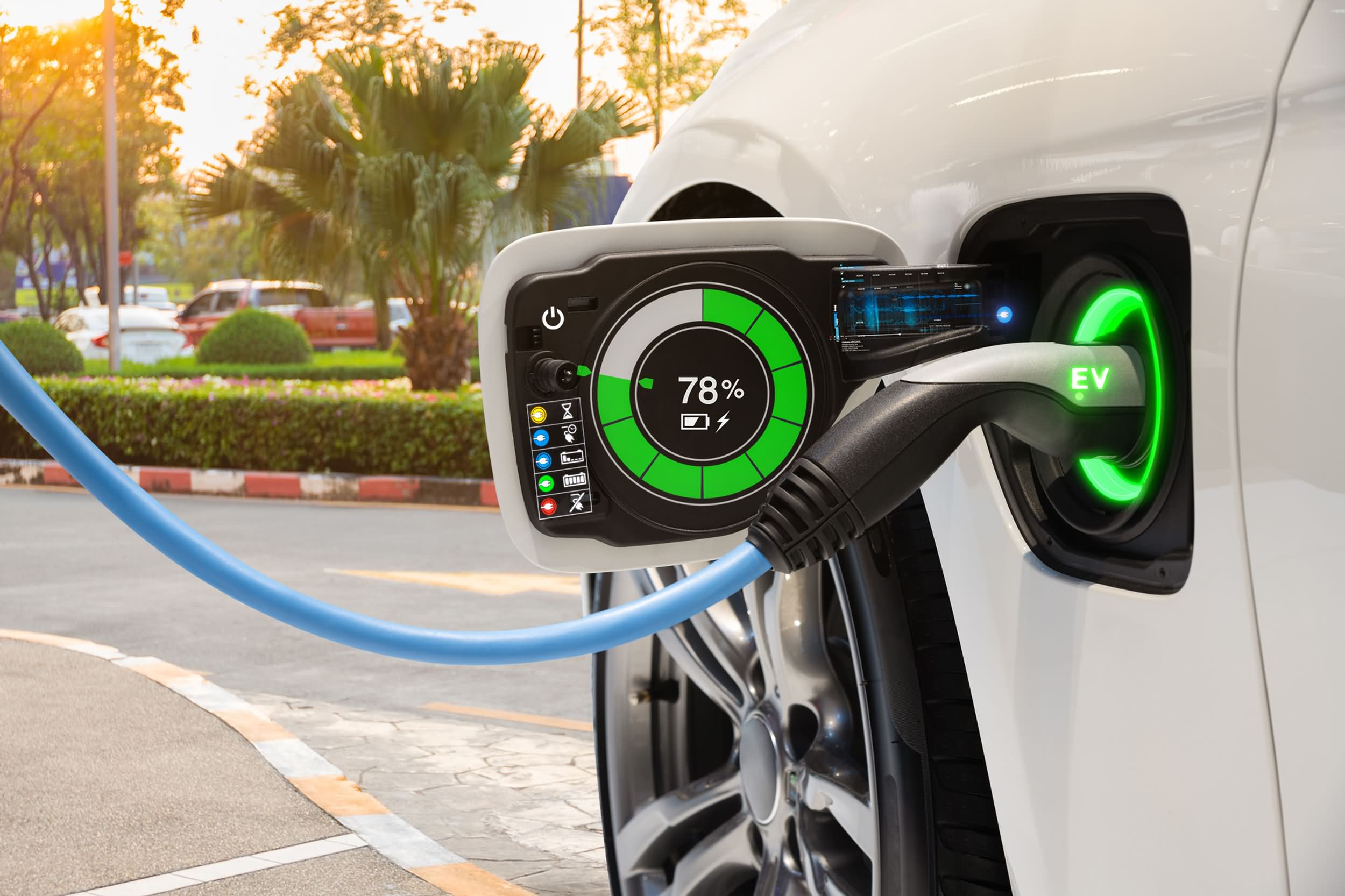 We are huddled in a parking lot, just outside of a small-town restaurant. This area is steeply graded, and a number of us are wearing hill descent traction devices that help keep our cars moving forward and make us look like Walter White, Jr.
While that description may not be very creative, it is the first thing that came to mind when I saw that this particular car gave all eight of its performance options points in the field of battery management. The Volt’s traction options are 0, 1, 2, 3, 4, and 5, but I only discovered all of this because one of the Volt’s so-called performance features reminded me that my car isn’t doing very much at the moment.
General Motors calls this new feature “Active Thermal Management”. Think of Active Thermal Management like a layer of anti-frost for your jalousie windows when your car is turned off. Yes, this is just silly, and yes, the automotive industry is desperately looking for anything that the driver in extreme situations might want, but this was different.
Knowing that my Volt battery was heated to 150 degrees below zero, this jalousie-like layer over my windows that seemed useless for 90% of the time suddenly seemed like it might come in handy. Living 45 minutes from anything, especially a hospital means that at least once per year, you have to decide whether you really want to get your car unstuck, un-layer-of-frosted, and down the hill, because it is the only hospital within miles of you.
Whereas active battery management (a $1,250 option), and power-operated cloth/leatherette seats, (another $1,600 option) may appeal to a buyer who is big on gadgets and home businesses with their products, it is important that you have a good understanding of how cars can become game-changers. I mean you, as you are the sales associate in the auto dealership.
According to the dealers’ organizations, as many as 30% of new vehicles purchased and leased are traded in when the three-year warranties expire. I’m guessing this is basically the same percentage that is true of used vehicles and cars that are leased. If that is the case, then the Volt has a future.
But, is the Volt really an alternative fuel vehicle that regular car buyers would be interested in? I have driven this car in a variety of circumstances, and I have loved it 100 percent of the time.
My original article was written in March when Volt was in its fourth year on the market. With this knowledge in mind, my five-mile commute to work quickly becomes eight or more miles. When I get home, I charge the car. I mostly do my job driving the car, and then I get home to find that, hey, the charger in the car wasn’t working.
The good news is that when auto dealers’ are not around, Volts are just plain work. I have squeezed the last 30 miles of range out of the 38 initially given. But, that’s when I get creative and try to figure out if the rest of that journey can be done on a gas-operated vehicle.
In March, GM announced the soon-to-come special 2.0, which will boast 33 miles of electricity, a 76-mile gas backup generator, an overall range of 379 miles, and a starting price that’s just under $35,000. As excited as I was when I first drove this car, this is my first thought, and perhaps it should be your first thought also.
At some point, before I take the 2.0 to work, I will be searching for a vehicle that has a gasoline engine that meets my needs. It is a funny-enough mental exercise to argue just how long that might really take.
This sparks a question. Why is it that when governments (municipal, state, federal, or any other), financial institutions, or green companies talk about the “new” eco-friendly cars, they never get asked about miles per gallon?
If you are the owner of such a dealer, my advice to you is that you begin to ask the question, “What miles per gallon do these cars get?” At the young age of 26, most buyers of cars today understand the miles per gallon concept because they had it in required school science classes. They may not be big fans of this concept just yet, but most have seen it in action.
If we use solar power, then the miles per gallon of this new, “eco-friendly car” becomes irrelevant. Suddenly, such questions would sound something like, “Do we have a solar system that can charge this car?” As odd as that might sound, or even if it isn’t odd given your own experience, it is only a matter of time before something like that question would pop into the head of a car buyer. If you have to ask, then that means at least some questions have to be asked.
OpenAPI generated blog post regarding “Climate Change”
12 Mar
Posted by Shobhit Prabhakar as Internet, Programming, Search Engine, Weired
I had applied for OpenAPI Beta, and I got selected with $1000 additional credits to use. I am now testing it and it is wonderful.
For example, I just asked it to create a blog post regarding “Climate Change” and it just did it. Here is the result:
Climate change has been a hot topic in the news lately. There have been several reports of natural disasters around the world that scientists say is linked to climate change. Many people are unaware of what climate change is or the effects it has on the environment. In this blog post, I will discuss what climate change is, the effects it has on the environment, and what we can do to help prevent it.
 Climate change is a gradual increase in the Earth’s average surface temperature. This increase in temperature is caused by emissions of greenhouse gases that trap heat in the Earth’s atmosphere. The most common greenhouse gases are water vapor, carbon dioxide, methane, and ozone. The Earth’s atmosphere naturally contains greenhouse gases, but over the years, human activity has increased the number of greenhouse gases in the atmosphere. This has caused the Earth’s average temperature to increase and has led to climate change.
The effects of climate change can be seen all over the world. One of the most obvious effects is the increase in extreme weather events, such as hurricanes, typhoons, and floods. Climate change has also caused the Earth’s ice sheets to melt, which has led to sea-level rise. As the Earth’s temperature continues to increase, the effects of climate change will become even more severe.
There are many things we can do to help prevent climate change. One of the most important things we can do is reduce our emissions of greenhouse gases. We can do this by driving less, using energy-efficient appliances, and recycling. We can also plant trees, which help to absorb carbon dioxide from the atmosphere.
It is important that we take action to prevent climate change now before it is too late. The effects of climate change are already being felt around the world, and they will only become worse over time. We need to take action now to protect our planet and our future.
« Previous Entries Next Page »
Categories
Archives
- April 2024
- November 2023
- January 2023
- June 2022
- March 2022
- October 2021
- November 2016
- January 2015
- May 2013
- March 2013
- June 2012
- December 2011
- November 2011
- October 2011
- September 2010
- April 2010
- February 2010
- January 2010
- September 2009
- August 2009
- May 2009
- February 2009
- January 2009
- December 2008
- November 2008
- October 2008
- September 2008
- August 2008
- July 2008
- June 2008
- May 2008
- April 2008
- March 2008
- February 2008
- January 2008
- November 2007
- October 2007
- September 2007
- June 2007
- April 2007
- January 2007
- November 2006
- October 2006
- September 2006
- August 2006
- July 2006
- June 2006
 Subscribe in a reader
